
CertifierOS version 3.19 introduced a new Notifications setting for managing COS user accounts.
This setting allows certification bodies to define when and how registered CertifierOS users are notified about assigned audit and ticket updates.
Important Note: The user must be added to the Audit Template using the “Roles Assignment” function. How to assign roles to an audit (Auditor(s), Reviewer, Decision-Making-Committee) – GLOBALG.A.P. Wiki Site
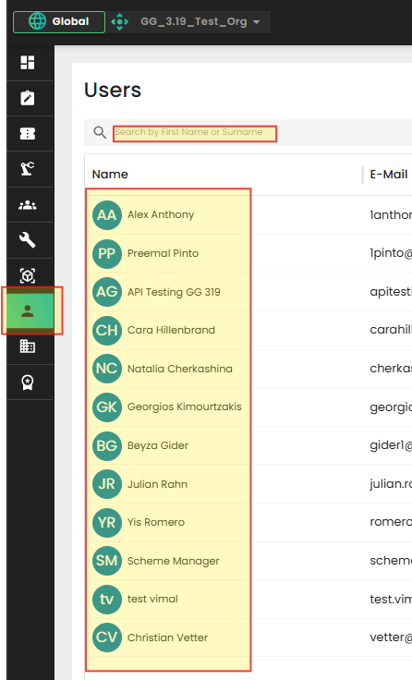
Click on “Users” icon in the main menu, then select a user account from the list or enter the name in the search bar.
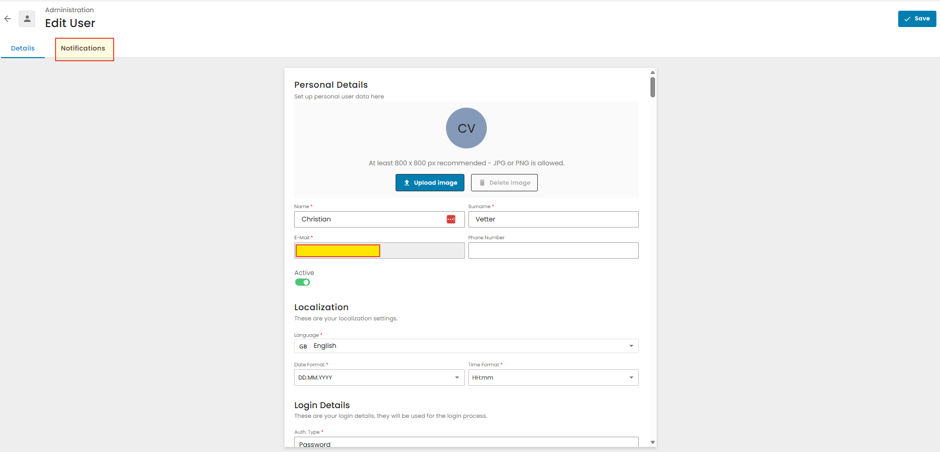
While in “Edit User” page, click the “Notifications” button to open the Notifications settings tab.
Select the applicable notifications, configure them as needed, and click “Save.”
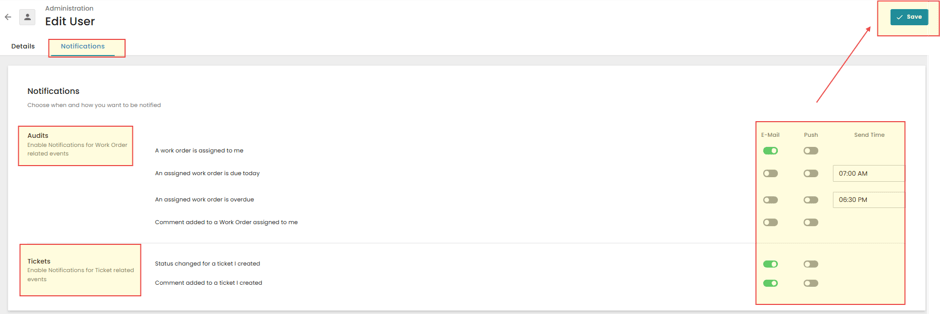
The selected account user (Auditor, Reviewer, or Decision-Making Committee member) will receive notifications for the chosen events.