
To adjust the Certificate status or/and the validity date of certificates please follow the instructions below:
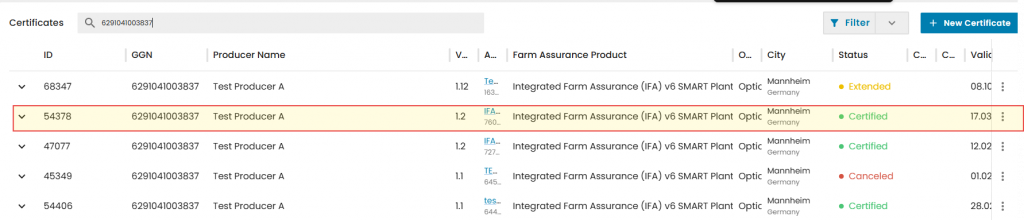
Step 1. Search and select certificates for adjustment:
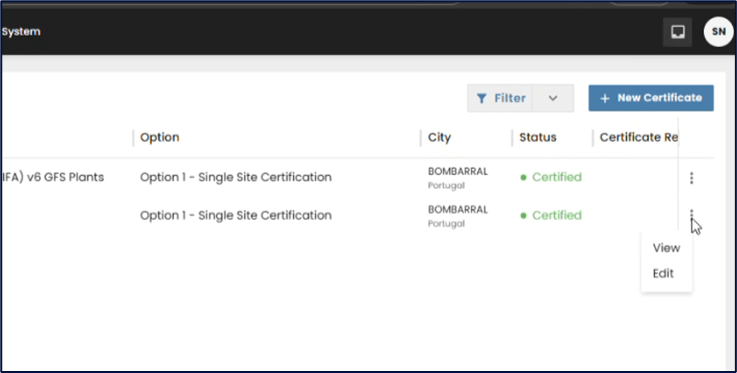
Click on „Edit” to adjust a certificate:
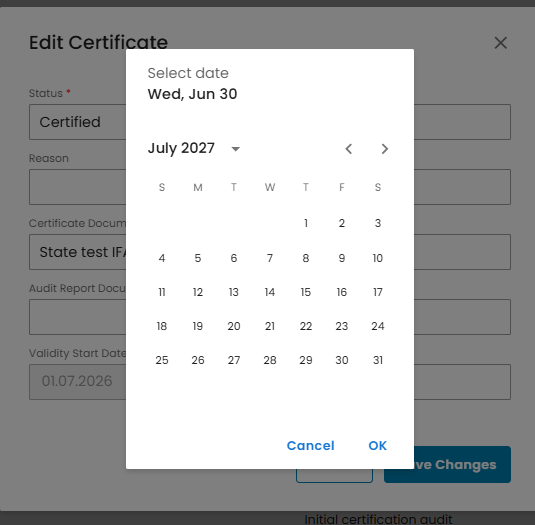
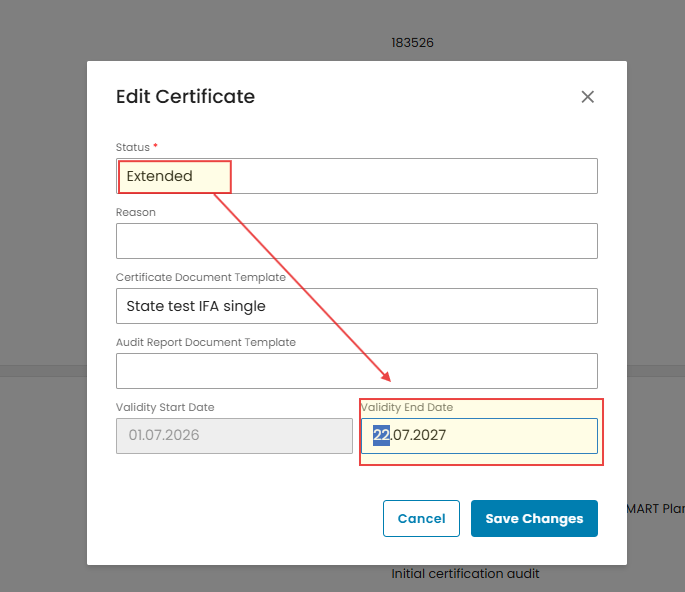
To extend the Certificate: click into the “Validity End Date” field and select a new date from the calendar that will be longer than the original “Valid to” date respecting the maximum allowed extension period as per GG General Rules.
Important Note: During the Certificate extension process it is required to manually change the Certificate status from “Certified”/”Assessed” to “Extended”. See Certificate Status change instructions below!
Save changes ONLY when the status is changed to “Extended”
To shorten the certificate validity repeat Step 1. Then click into the “Validity End Date” field and select a new date from the calendar that will be shorter than the original “Valid to” date
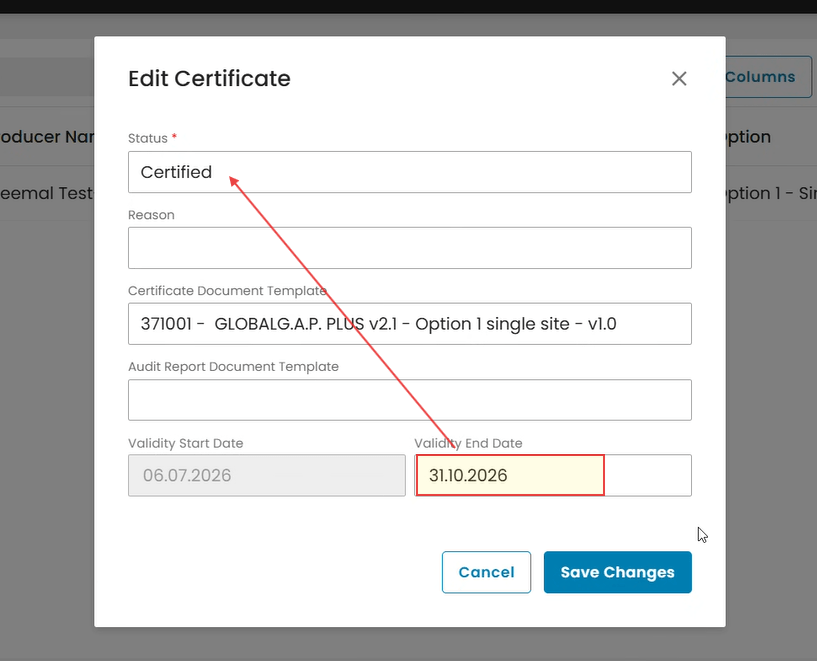
Important: The system only allows the certificate to be shortened up to the current date. It cannot be shortened beyond the current date. No need to change the certificate status!
If it is shortened to the current date, the system will automatically set the Certificate status to “Expired”
Note. Certificate validity correction will automatically update the certificate version. E.g., if the certificate version was 1.0, a validity correction will set the new version to 1.1. The new certificate version will still be linked to its original Audit template used to issue version 1.0

To change the Certificate status, follow Step 1 as explained above.
Remove the current certificate status by clicking on X
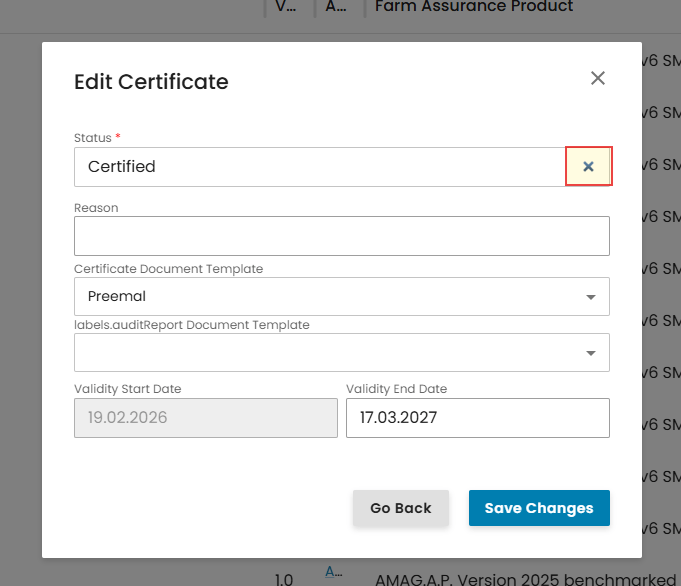
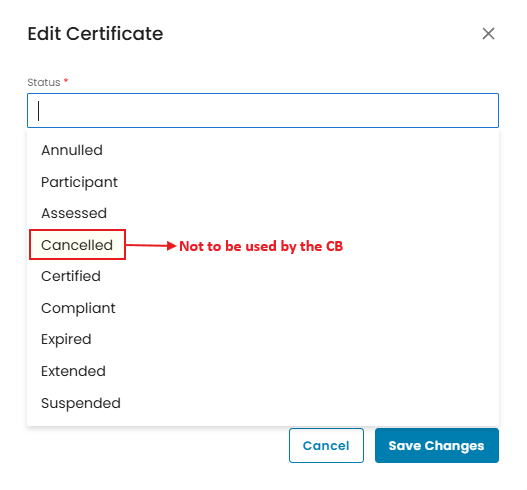
In the dropdown menu, select the applicable certificate status and click on “Save Changes”.
Note. Certificate status change will automatically update the certificate version, E.g., if the certificate version was 1.0, a status change will set the new version to 1.1. The new certificate version will still be linked to its original Audit template used to issue version 1.0.

Click on „Save Changes” so your adjustments are applied and saved.
Certificate Status Definitions
Within the platform, certificates can have different statuses depending on the standard/add-on, their lifecycle stage, certification decision, or administrative actions.
The certificate status plays a key role in how the certificate is interpreted when users search for information in the Supply Chain Portal.
Therefore, it is important to consider the meaning of each status before setting it.
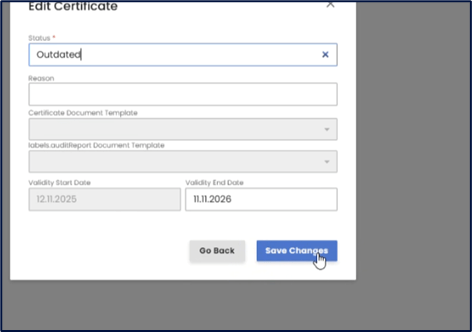
IMPORTANT: When the certificate reaches its “Valid to” date, CertifierOS will automatically change the certificate status as shown below
Certified to Expired
Assessed to Expired
Compliant to Expired
Participant to Expired
Extended to Expired
Outdated – stays Outdated (No status change)
Suspended – stays Suspended (No status change)
Annulled – stays Annulled (No status change)
Certificate statuses and their description:
Participant
This status applies exclusively to standalone RMS when it becomes available in the IT live platform. It indicates participation in the system without certification being applicable at this stage.
Assessed
Used exclusively for GRASP, once a certification decision has been issued. This status confirms that the assessment has taken place.
Cancelled (Not to be used by the CB)
This status is managed exclusively by Agraya and refers to contract cancellation. Certification Bodies must contact Agraya and provide the GGN, the cancellation date, and the reason for the cancellation for this status to be implemented.
Certified
Applied to standards and the Nurture Module add-on once a positive certification decision has been issued. This status confirms that the certificate is valid and active within its defined validity period.
Compliant
Used when a positive cert decision is made. Applied to all add-ons where a LoC is issued (except GRASP due to Data Access Rules, or Nurture Module add-on that leads to a certificate) once a positive certification decision has been issued. This status confirms that the LoC is valid and active within its defined validity period.
Expired
This status is set when the certificate reaches its “valid to” date, including cases where the Certification Body shortens the certificate validity period. Once expired, the certificate is no longer valid.
Extended
Used when a certificate validity period has been extended, in accordance with the GLOBALG.A.P. General Regulations. The certificate status remains “certified” beyond its original validity end date.
Suspended
Applied when a “suspension” sanction is imposed, in line with the GLOBALG.A.P. General Regulations. During suspension, the certificate is temporarily not valid.
Annulled
Used to correct administrative mistakes. This status invalidates the certificate due to errors unrelated to compliance or certification outcomes.